Meta Pixel
Last updated
A piece of code placed on your website that tracks user actions and feeds conversion data back to Meta. The foundation of effective Meta ad targeting and optimization.
Meta Pixel
Meta Pixel is a piece of tracking code you add to your website that records what visitors do after they interact with your Facebook or Instagram ads. It sends data back to Meta about actions like page views, product views, add-to-carts, and purchases, which lets Meta optimize ad delivery, build retargeting audiences, and measure conversions. Without it, Meta has no reliable view of what happens after someone clicks your ad.
Why It Matters
Meta Pixel is the engine behind conversion tracking, retargeting, and lookalike audiences. Without accurate Pixel data, Meta's algorithm cannot optimize your ad delivery, your retargeting audiences shrink, and your ROAS numbers become unreliable. Every dollar you spend becomes harder to justify.
The cost of getting it wrong is rarely visible at first. A Pixel that fires only on the homepage will still report numbers, so the account looks healthy while the algorithm optimizes toward the wrong action. Meta needs roughly 50 conversion events per ad set per week to exit the learning phase efficiently, and a misconfigured Pixel starves it of those signals. The brands that scale cleanly are almost always the ones that treat tracking as foundational infrastructure rather than a one-time setup task.
How It Works
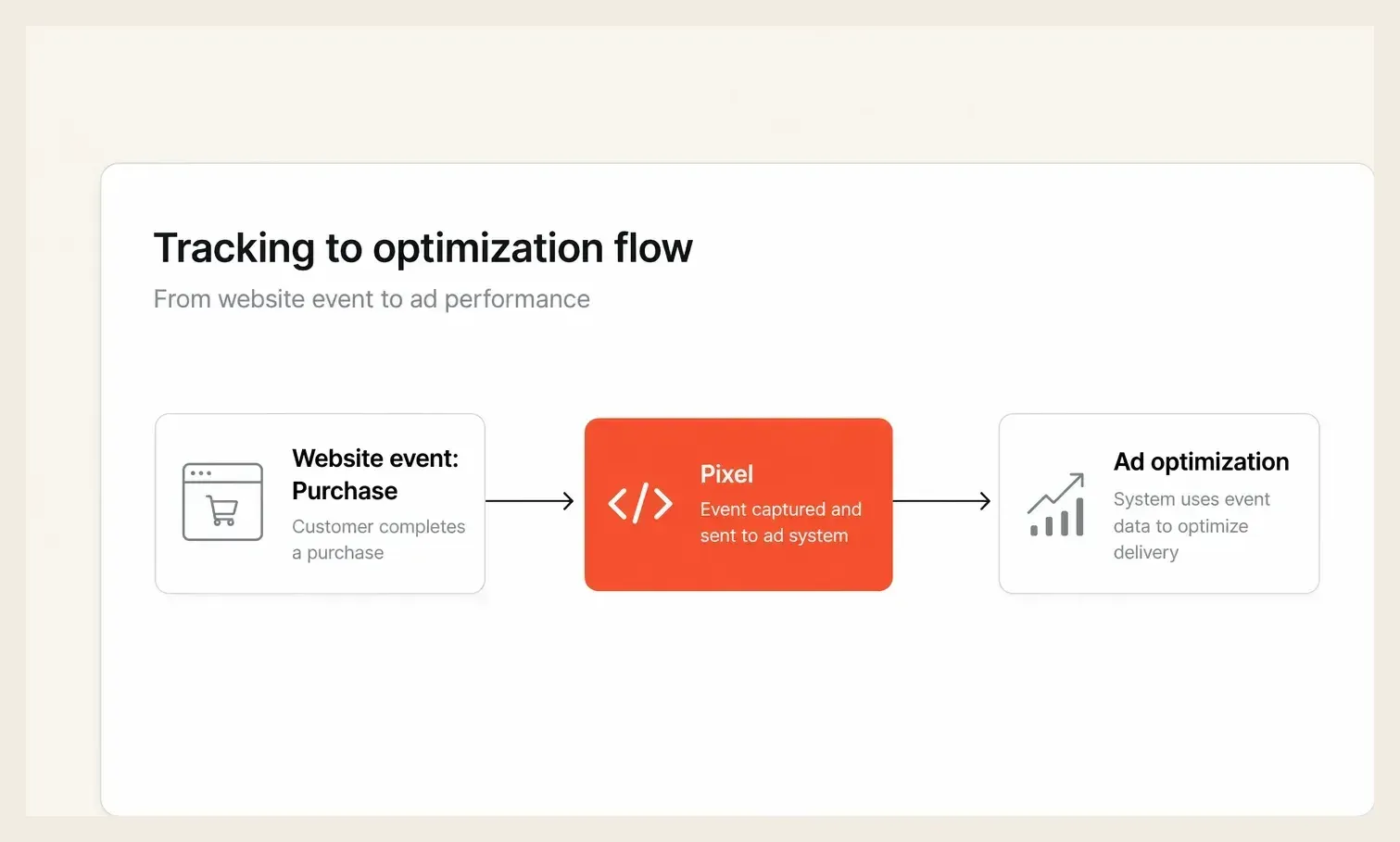
- You install the base code on every page of your website, usually through a tag manager or a platform integration like Shopify or WordPress. This fires a "PageView" event on every visit.
- You set up standard events on key pages, such as "AddToCart" on product pages or "Purchase" on your order confirmation page, so Meta can track the specific actions that matter to your business.
- Meta collects this behavioral data and uses it to understand who converts, what they looked at before buying, and how long it took them to decide.
- The algorithm uses this signal to optimize who sees your ads, when they see them, and which creative gets served, which ties Pixel data directly to your campaign performance and CTR.
The detail most accounts miss is event quality. Meta does not just count events, it weighs the parameters attached to them, such as purchase value and currency, to optimize toward high-value buyers rather than any conversion. Passing accurate value parameters is what lets the system chase your most profitable customers instead of your cheapest ones, which is why a technically "installed" Pixel can still underperform a fully configured one.
A Real Example
Imagine you run an online skincare brand. You are spending $5,000 per month on Meta ads but struggling to scale past a 2.1x ROAS.
After auditing your setup, you discover your Pixel is only firing on the homepage. It is completely missing AddToCart and Purchase events, so Meta's algorithm has been optimizing for "people who visit the site" instead of "people who actually buy."
You fix the Pixel events and give Meta's system two weeks to learn. Your CPA drops from $48 to $31 within the month, and ROAS climbs to 3.4x. The creative never changed. The only difference is that Meta finally understood what a real customer looked like, which let it spend your budget against the right people.
Common Mistakes
| Mistake | ❌ What Marketers Do | ✅ What to Do Instead |
|---|---|---|
| Installing Pixel on only some pages | Add the base code to the homepage or ad landing pages only | Install the base code site-wide and set up standard events on key conversion pages |
| Relying on Pixel alone after iOS 14 | Trust Ads Manager conversion numbers without question | Pair Pixel with the Conversions API (CAPI) to recover lost signal from iOS users |
| Not verifying your domain | Skip Meta's domain verification step | Verify your domain in Business Manager, which is required for Aggregated Event Measurement and proper iOS tracking |
How Hawky Helps
Accurate Pixel data is the foundation everything else is built on, and Hawky's agents turn that clean signal into action. When your Pixel and CAPI are firing correctly, Hawky's Creative Agent connects creative performance patterns to real conversion outcomes at an element level, showing you not just which ads got clicks but which specific hooks and visuals drove buyers.
Hawky's Performance Agent then acts on that conversion signal in the account, optimizing delivery and budget toward the events that actually produce revenue. FeatherDB holds the account's tracking and performance memory so the agents always work from a consistent picture of what a real customer looks like. Strong tracking turns the agents loose on the right outcomes, while poor tracking points them at the wrong ones.
Frequently Asked Questions
Is Meta Pixel still needed after iOS 14?
Yes, the Pixel remains essential, but it should be paired with the Conversions API to recover signal lost to iOS tracking limits. The Pixel handles browser-side events while CAPI sends server-side events directly to Meta, and together they give the algorithm a far more complete view of conversions than the Pixel alone.
What is the difference between Meta Pixel and the Conversions API?
The Meta Pixel tracks actions in the user's browser, while the Conversions API sends those same events from your server to Meta. Browser tracking can be blocked by privacy settings or ad blockers, so CAPI fills the gaps and makes your conversion data more reliable. Most well-run accounts run both at once.
How do I know if my Meta Pixel is working?
Install the Meta Pixel Helper browser extension and visit your site to confirm the base code and standard events fire correctly. You can also check Events Manager, which shows incoming events in near real time and flags setup issues such as missing parameters or duplicate events.
What events should I track with Meta Pixel?
At minimum, track PageView site-wide plus the key funnel events: ViewContent, AddToCart, InitiateCheckout, and Purchase. Ecommerce accounts should also pass value and currency parameters on the Purchase event so Meta can optimize toward high-value buyers rather than any conversion.
Quick Takeaway
Meta Pixel is the tracking foundation your entire paid social strategy is built on. Get it right and Meta's algorithm works for you, get it wrong and you waste budget no matter how good your creative is.
When your ROAS stalls despite strong creative, a leaking Pixel is often the hidden cause. Ready to hire your first AI performance team? Book Demo