Performance Max (PMax)
Last updated
Google's fully automated campaign type that serves ads across all Google channels from a single campaign. Requires strong creative assets to perform well.
Performance Max (PMax)
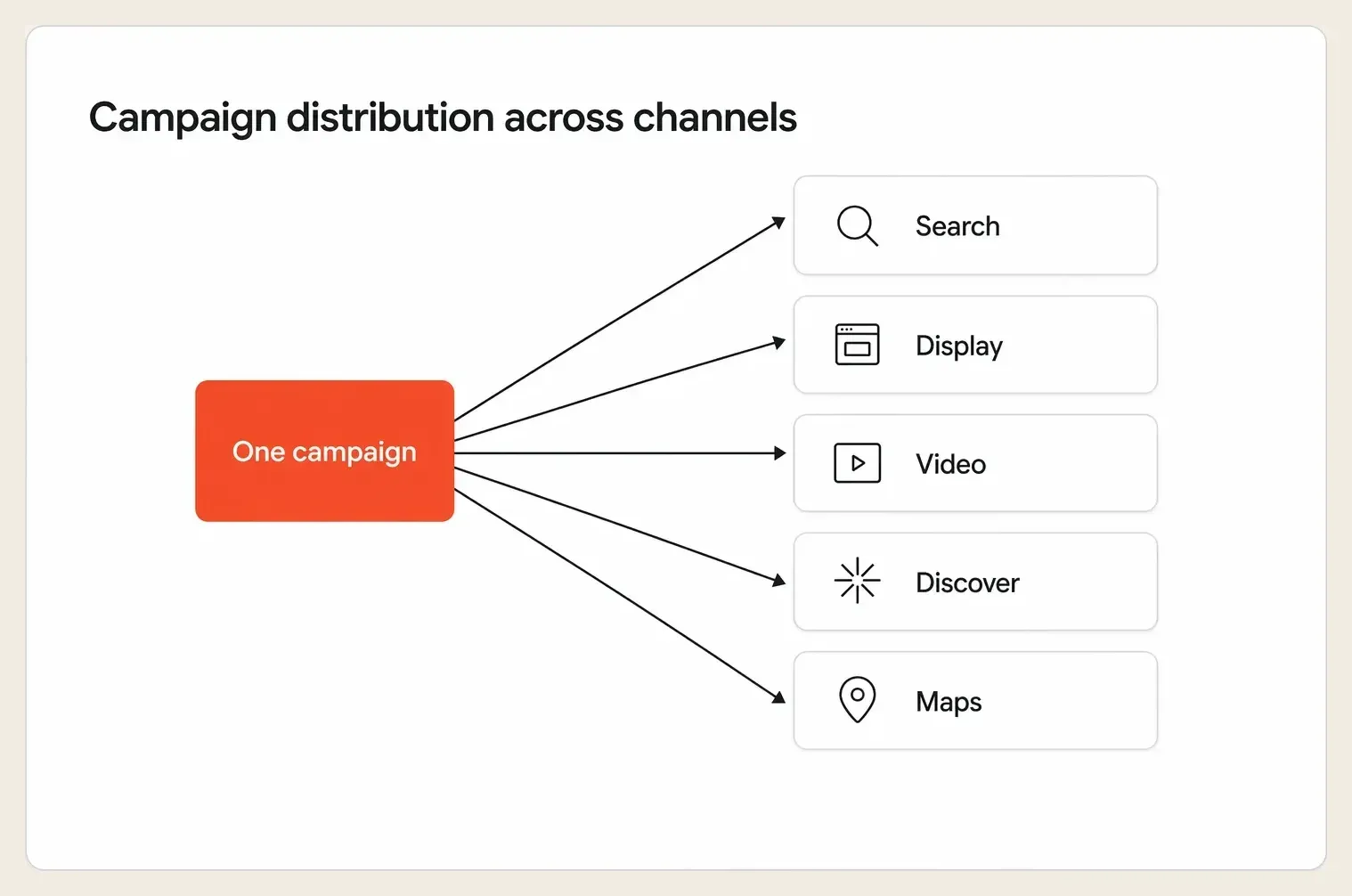
Performance Max (PMax) is Google's AI-powered campaign type that runs your ads across every Google channel, including Search, YouTube, Display, Shopping, Gmail, Discover, and Maps, from a single campaign, automatically optimizing for your conversion goal. You provide the creative assets and the goal, and Google's AI decides where to show your ads, who to show them to, and how to bid in real time.
Think of it as handing Google the keys to your entire ad inventory and saying, "Find me the people most likely to buy, wherever they are."
Why It Matters
PMax is not just another campaign type, it is a fundamental shift in how digital advertising works. When Google handles targeting and bidding automatically, your creative assets become your primary competitive advantage. The brands winning with PMax are not those with the biggest budgets, they are the ones feeding Google the best creative to work with.
The numbers back this up. Google reports that advertisers adopting Performance Max alongside their existing Search campaigns see an average uplift of around 18 percent more conversions at a similar cost per action. But that uplift depends almost entirely on asset quality, because PMax can only assemble ads from what you upload. An account that loads three headlines and one image is capping its own ceiling, while a competitor maxing out every asset slot gives Google's AI far more combinations to find winners with.
How It Works
- You provide "Asset Groups," which are collections of headlines, descriptions, images, videos, and logos. Google automatically assembles and tests combinations across placements.
- Google's AI optimizes in real time, choosing the best channel, audience, and creative mix for each individual user based on your conversion goal, whether that is purchases, leads, or store visits.
- Audience signals accelerate learning. You can suggest audiences, such as your customer list or website visitors, to help Google's algorithm find converting users faster during the learning phase.
- Asset quality ratings matter. Google rates your assets from "Poor" to "Good" to "Best," and stronger ratings generate meaningfully higher conversion rates, so the quality and variety of what you upload directly impacts performance.
The lever most advertisers underuse is the audience signal. It is a suggestion, not a hard target, so it points Google toward your likely buyers without locking the campaign into a narrow box. Pairing a strong audience signal with a full, varied asset group is what separates a PMax campaign that finds its footing in weeks from one that flounders for months.
A Real Example
An ecommerce brand selling running shoes launches a PMax campaign with a $5,000 per month budget and a target ROAS of 400 percent.
In Month 1, they upload 5 headlines, 2 images, and no video. Google's Asset Rating shows "Poor," and ROAS comes in at 280 percent, below target.
In Month 2, they refresh their assets: 15 headlines, 4 descriptions, 7 images across multiple aspect ratios, and 2 short videos. The Asset Rating jumps to "Best."
The result: ROAS climbs to 430 percent and cost per purchase drops 22 percent. Same budget, same product, better creative inputs. The only variable that changed was the depth and quality of the asset group, which gave Google's AI far more to test against the same audience.
Common Mistakes
| Mistake | ❌ Wrong Approach | ✅ Better Approach |
|---|---|---|
| Underloading assets | Uploading 3 headlines and 1 image and calling it done | Max out every asset slot, around 15 headlines, 5 images, and 1 to 5 videos, to give Google's AI more to test |
| Ignoring asset ratings | Never checking whether assets are rated "Poor" or "Good" | Review asset performance weekly and replace underperforming assets with fresh creative |
| Skipping video | Assuming video is optional because you lack budget | Use free tools like Google's asset library to auto-generate simple video ads, since PMax heavily prioritizes YouTube placements |
How Hawky Helps
Because PMax gives you limited visibility into why certain asset combinations win, the hardest part is knowing what to build next. Hawky's Creative Agent decodes which hooks, visuals, and CTAs are actually driving conversions through element-level analysis, then produces the asset groups that earn "Best" ratings, so you skip months of expensive trial and error.
Hawky's Performance Agent operates the campaign side, structuring asset groups, feeding audience signals, and steering budget toward the combinations Google rewards. FeatherDB remembers which creative elements won in past flights, so each new PMax launch starts from accumulated knowledge rather than a blank slate. The agents run the account, instead of leaving you to interpret a black box on your own.
Frequently Asked Questions
What is the difference between Performance Max and Search campaigns?
A Search campaign runs only on Google's search results and gives you direct control over keywords and bids, while Performance Max runs across all of Google's channels and automates targeting, bidding, and placement. PMax trades manual control for reach and automation, which is why Google recommends running it alongside Search rather than as a full replacement.
How long does Performance Max take to optimize?
PMax typically needs around four to six weeks to move through its learning phase and stabilize performance. Avoid major edits during this window, since significant changes to assets, budget, or goals can reset learning and delay reliable results.
How many assets should you upload to Performance Max?
Aim to fill every asset slot: roughly 15 headlines, 5 descriptions, multiple images in different aspect ratios, and at least one or two videos. More distinct, high-quality assets give Google's AI more combinations to test, which is the single biggest driver of an improved asset rating and stronger performance.
Is Performance Max worth it for small budgets?
Yes, but it works best when the account can generate enough conversion data for the AI to learn from, so very small budgets may take longer to stabilize. Smaller advertisers should still max out asset quality and provide strong audience signals, since those inputs matter even more when conversion volume is limited.
Quick Takeaway
Performance Max puts Google's AI in control of targeting and bidding, which means your creative assets are no longer just one part of the equation, they are the equation.
When the algorithm controls everything except your creative, the asset group is where campaigns are won or lost. Ready to hire your first AI performance team? Book Demo