How to Run TikTok Ads: A Beginner's Setup Guide
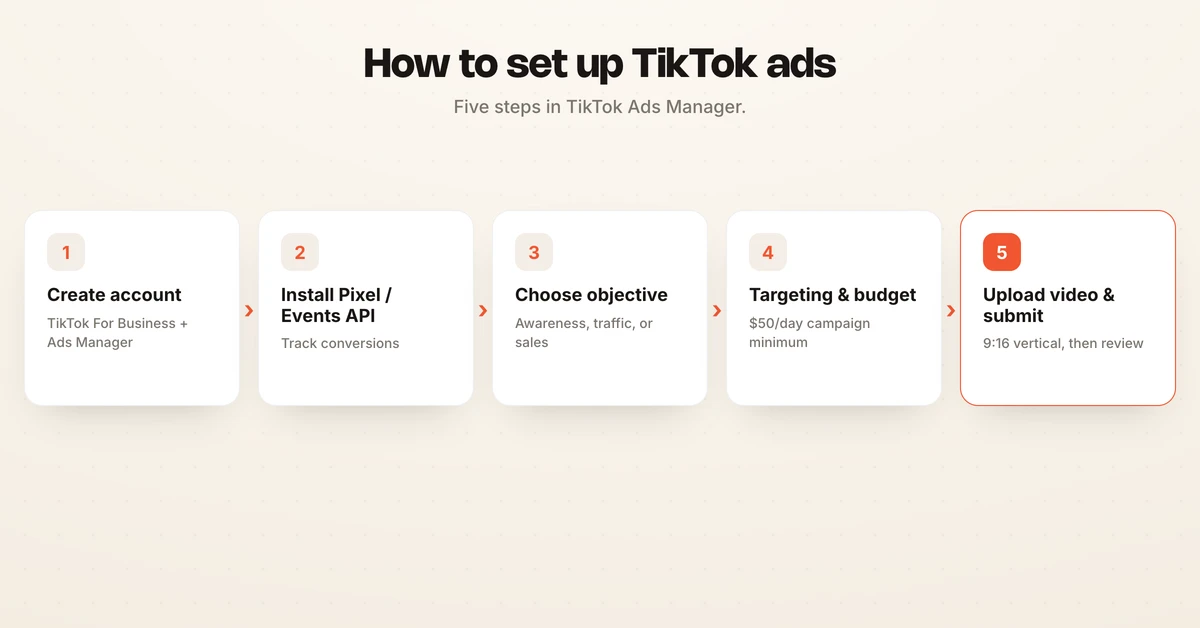
To run TikTok ads, you create a free TikTok For Business account, open TikTok Ads Manager, install the TikTok Pixel or Events API to track results, then build a campaign using TikTok's Campaign, Ad Group, Ad structure. At the campaign level you pick an objective, at the ad group level you set targeting, budget, schedule, and placements, and at the ad level you upload a vertical video and submit it for review.
This guide walks a beginner through every step of setting up and launching a first TikTok ad campaign. It focuses on getting live cleanly, not on advanced optimization.
What you need before you start
Running TikTok ads is less intimidating once your foundation is in place. Before you build anything, get the basics sorted so you are not stopping mid-setup to fix an account or a missing tracker.
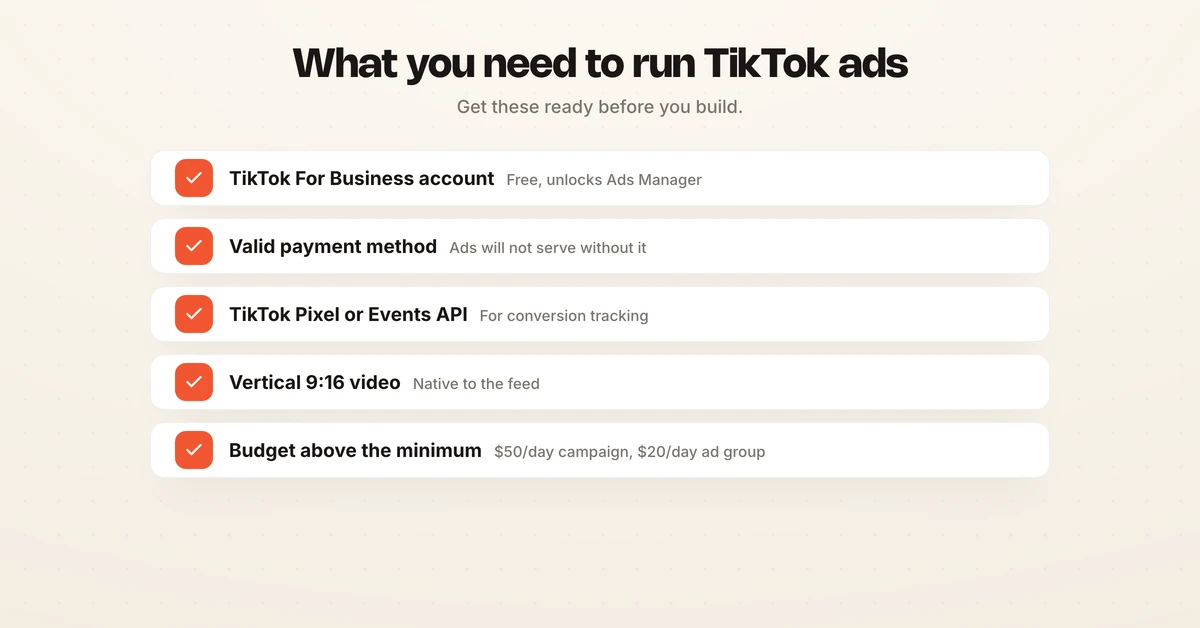
Here is the short list of what you need to run TikTok Ads, and why each piece matters.
| What you need | Why it matters |
|---|---|
| TikTok For Business account | Free account that unlocks TikTok Ads Manager, the dashboard where campaigns are built. |
| Valid payment method | TikTok will not serve ads until billing is set up and verified. |
| TikTok Pixel or Events API | Tracks website actions so you can optimize toward and measure conversions. |
| Vertical video creative | TikTok is a full-screen 9:16 video platform, so your ad needs to fit that format. |
| Budget above the minimum | Platform minimums are $50 per day at the campaign level and $20 per day at the ad group level. |
How TikTok campaigns are structured
Every TikTok ad account uses the same three-level structure: Campaign, then Ad Group, then Ad. Understanding this hierarchy before you click Create saves a lot of confusion later.
The campaign level is where you choose your objective and set an optional campaign-level budget. The ad group level is where most of the real decisions live: audience targeting, placements, budget, schedule, bid strategy, and your optimization event. The ad level is where your actual creative goes, meaning the video, text, call to action, and destination link.
One campaign can hold many ad groups, and each ad group can hold multiple ads, which is how you test different audiences and creatives without starting over. For a broader look at how this compares to other platforms, see our media buying guide.
The step-by-step TikTok Ads setup
Below is the full walkthrough. Work through it in order, because each step unlocks the next.
1. Create a TikTok For Business account and open Ads Manager
Go to TikTok For Business and sign up for a free account using your business email. Once you are in, you land in TikTok Ads Manager, which is the control panel for everything that follows. Fill in your business details, country, currency, and time zone carefully, because the time zone affects how your budgets and schedules run.
Add a payment method under the billing section. TikTok will not push any ad live until billing is confirmed, so handling this early avoids a last-minute block.
2. Install the TikTok Pixel or Events API
If you want to send people to a website and measure what they do there, install a tracker. In Ads Manager, open Tools, then Events Manager, click Connect Data Source, select Web, and follow the prompts to create your pixel and generate the code snippet, per TikTok's pixel setup guide. You can place that snippet directly on your site or connect through a partner like Shopify.
TikTok recommends using both the TikTok Pixel and the Events API together with event deduplication for more reliable measurement. Before you launch, verify the setup with the TikTok Pixel Helper Chrome extension or the Test Events tool inside Events Manager. If you are only running awareness or traffic ads, you can skip this step, but conversion campaigns depend on it.
3. Create a campaign and choose an objective
Click Create, then choose your campaign type. TikTok offers a Manual campaign for full control, a Search campaign that serves ads on search results, and a Smart+ campaign that uses automation to handle much of the setup for you.
Next, pick your objective. TikTok groups objectives into awareness, consideration, and conversion, and the one you choose shapes how TikTok delivers your ad.
| Objective | When to use it |
|---|---|
| Reach | Show your ad to the largest possible audience for brand awareness. |
| Traffic | Drive clicks to a website, landing page, or app store listing. |
| Video Views | Maximize plays on a video you want people to watch. |
| Community Interaction | Grow followers or profile engagement on your TikTok account. |
| Lead Generation | Collect leads through an instant form inside TikTok. |
| App Promotion | Drive app installs or in-app actions. |
| Sales | Optimize for purchases and conversions, on-site or in-app. |
Beginners running a website offer usually start with Traffic to learn what resonates, then move to Sales once the Pixel is firing reliably.
4. Set targeting, placements, budget, and schedule
At the ad group level, choose your placements first. TikTok can auto-place your ad across its network, or you can select placements manually.
Next, define your audience. You can target by location, age, gender, language, interests, and behaviors, or build a custom audience from your own customer list or site visitors. Beginners often start slightly broad and let TikTok's system find performers, then tighten later.
Then set your budget and schedule. TikTok's minimums are $50 per day at the campaign level and $20 per day at the ad group level, according to TikTok's budget documentation. You can choose a daily budget or a lifetime budget, and set a start and end date or run continuously. For a fuller cost picture, including CPMs and what to actually plan to spend, see our TikTok ads cost guide and the CPM glossary entry.
5. Build your ad and submit for review
At the ad level, upload your video. TikTok is a vertical, sound-on platform, so a 9:16 video that looks native to the feed will almost always outperform a repurposed landscape clip. If you do not have a finished video, TikTok's Smart tools and video templates can assemble one from images and text.
Add your ad text, pick a call-to-action button, and attach the destination URL where people should land. Review everything against the pre-launch checklist below, then click Submit. TikTok reviews most ads within about 24 hours, and your ad only starts serving once it passes.
| Pre-launch check | Confirmed |
|---|---|
| Payment method added and verified | Yes / No |
| Pixel or Events API installed and tested | Yes / No |
| Objective matches your real goal | Yes / No |
| Targeting and placements set at ad group level | Yes / No |
| Budget clears the minimum and matches your plan | Yes / No |
| Vertical 9:16 video meets TikTok's specs | Yes / No |
| Call to action and destination URL correct | Yes / No |
Frequently asked questions
How do I start advertising on TikTok?
Create a free TikTok For Business account, open TikTok Ads Manager, and confirm your business details and payment method. Install the TikTok Pixel or Events API on your website so TikTok can measure conversions. Then build a campaign using the Campaign, Ad Group, Ad structure: pick an objective, set targeting, budget, and schedule, upload a vertical video, and submit for review.
How do I create a TikTok ad?
Inside TikTok Ads Manager, click Create, choose a campaign objective, and set an optional campaign budget. Move to the ad group level to set placements, audience targeting, budget, schedule, and your optimization event. At the ad level, upload a 9:16 vertical video that meets TikTok's specs, add your text and call to action, attach your destination URL, then submit the ad for review.
What do I need to run TikTok Ads?
You need a TikTok For Business account with TikTok Ads Manager access, a valid payment method, and the TikTok Pixel or Events API installed if you want to track conversions. You also need a vertical video creative that meets TikTok's specs and a budget that clears the platform minimums, which are $50 per day at the campaign level and $20 per day at the ad group level.
How much does it cost to start running TikTok ads?
TikTok's platform minimums are $50 per day at the campaign level and $20 per day at the ad group level, per TikTok's budget documentation. For conversion campaigns, most advertisers spend well above the minimum so the ad group can gather enough events to exit the learning phase. See our TikTok ads cost guide for a fuller breakdown.
Do I need the TikTok Pixel to run ads?
You can run awareness or traffic campaigns without it, but you need the TikTok Pixel or Events API to track website conversions and optimize toward sales or leads. TikTok recommends using both the Pixel and the Events API together with event deduplication for the most reliable measurement.
How long does TikTok ad review take?
Most TikTok ads are reviewed within roughly 24 hours, though it can take longer during busy periods. Ads must pass review before they start serving, so build and submit a day or two ahead of any launch date you care about.
Where an agent fits in
Setup is the easy part. The hard part is the daily work after launch: reading performance, shifting budget, pausing losers, and keeping spend pointed at your KPI, which is the same discipline whether you run TikTok, Meta, or Google, and the same rhythm covered in our guide to running Facebook ads.
Hawky is an agentic performance marketing platform, and its Performance Agent operates Meta, Google, and YouTube against your KPI with guardrails and a full audit trail. It does not run TikTok, so treat this guide as your TikTok playbook and Hawky as the operator for those other channels. Early customers have seen a 25% ROAS lift in the first 90 days across 200-plus customers, and you can see how it is packaged on the pricing page.
If keeping paid media pointed at your KPI every day is the job you keep running out of time for, Hawky's Performance Agent is built for that job.
Ready to hire your first AI performance team? Book Demo