How to Run Facebook Ads: A Beginner's Setup Guide
To run Facebook ads, you create a Facebook Page and Meta Business Portfolio, open an ad account in Meta Ads Manager, install the Meta Pixel or Conversions API for tracking, then build a campaign in three layers: a campaign that sets your objective, an ad set that defines audience, budget, schedule, and placements, and an ad that holds your creative. Once you have chosen an objective, targeted an audience, set a budget, and added your image or video, you review the ad in preview and click Publish.
Getting your first campaign live is mostly a setup problem, not a creative one, and the order of the steps matters. This guide walks through the exact setup flow in Meta Ads Manager so you can launch your first Facebook ad without missing a step that costs you data later.
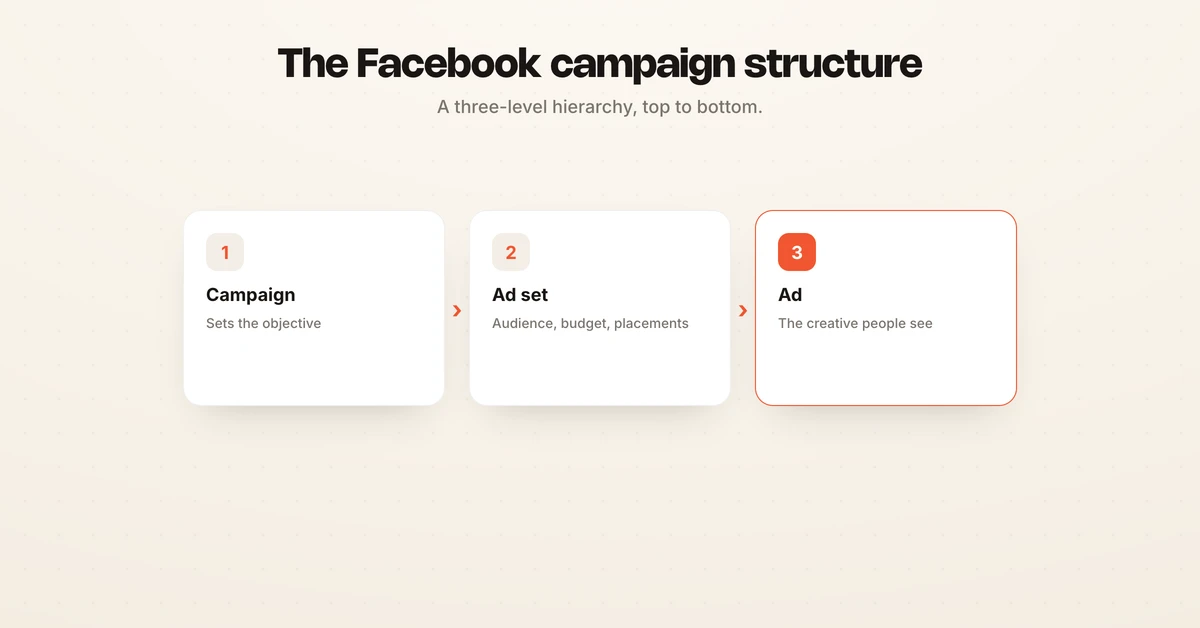
Understand the campaign, ad set, and ad structure first
Every Facebook ad lives inside a three-level hierarchy, and knowing it before you click anything makes the rest of the setup obvious. The campaign is the top layer, and it holds one thing that matters most: your objective. The ad set sits below it and controls who sees the ad, how much you spend, when it runs, and where it shows. The ad is the bottom layer, and it holds the creative, meaning the image or video, the headline, the primary text, and the call to action.
One campaign can contain several ad sets, and each ad set can contain several ads. That structure is what lets you test one audience against another while keeping the same objective, or run three creatives against the same audience to see which one wins.
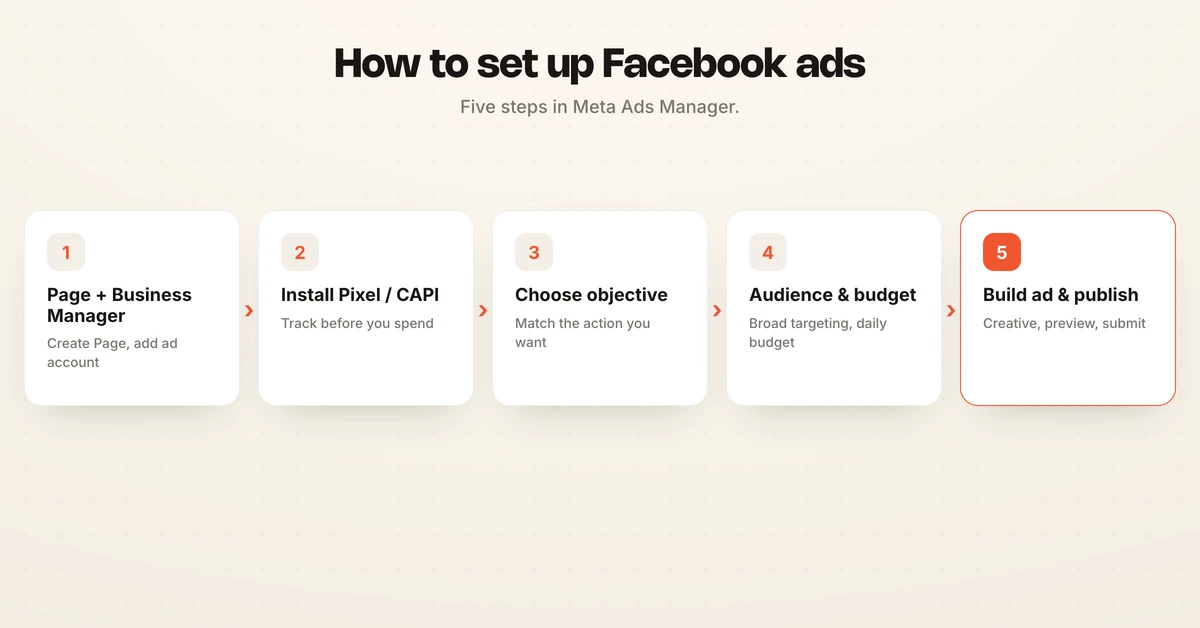
Step-by-step: how to set up Facebook ads
1. Create a Facebook Page
You cannot run ads from a personal profile, so you need a Facebook Page for your business. Create one from your personal account, add your logo, cover image, and basic business details, then connect your Instagram account if you plan to advertise there too. The Page becomes the identity that your ads run under.
2. Set up your Meta Business Portfolio and ad account
Go to business.facebook.com and create a Meta Business Portfolio, which is the container that holds your Page, ad account, Pixel, and team access in one place. Inside it, add an ad account, which is where your billing, payment method, and campaigns live. Assign your Page to the portfolio and give yourself admin access so you can build and edit campaigns.
Meta Ads Manager is created for you as soon as an ad account exists in your portfolio, so there is no separate signup. Add a payment method now, because Meta will not let you publish a campaign without one.
3. Install the Meta Pixel and Conversions API
Before you spend anything, set up tracking so Meta can see what happens after the click. Open Events Manager, create a dataset, and install the Meta Pixel on your website, either by pasting the base code, using a partner integration like Shopify, or adding it through Google Tag Manager. Meta documents the full process in Set up and install the Meta Pixel.
Pair the Pixel with the Conversions API, which sends events to Meta from your server instead of only from the browser. Browser tracking is increasingly blocked by cookie restrictions and ad blockers, so the server-side signal keeps your optimization and reporting accurate. This tracking layer is what lets Meta optimize toward purchases or leads rather than guessing.
4. Create the campaign and choose an objective
In Meta Ads Manager, click Create, and Meta asks you to pick a campaign objective. There are six objectives to choose from, and the one you select tells Meta's auction what result to optimize for, as explained on the Meta ad objectives page. Meta has merged its older manual and Advantage+ flows into one interface, so Advantage+ automation now switches on automatically when you use broad targeting, a conversion event, and campaign-level budget rather than being a separate campaign type.
Pick the objective that matches the action you actually want, not the one that sounds biggest.
| Objective | What Meta optimizes for | When to use it |
|---|---|---|
| Awareness | Reach and impressions | Introducing a brand to a cold, wide audience |
| Traffic | Link clicks and landing page views | Sending people to a blog post, product page, or offer |
| Engagement | Messages, video views, post interactions | Building social proof or starting conversations |
| Leads | Form submissions or on-site leads | Collecting contact details for a sales follow-up |
| App promotion | App installs and in-app events | Driving downloads or actions in a mobile app |
| Sales | Purchases and conversions | Selling products or services with tracked checkout |
5. Build the ad set: audience, budget, schedule, and placements
At the ad set level, you decide who sees the ad. You can let Advantage+ use broad targeting, or define a custom audience from your customer list, website visitors, or people who engaged with your Page. For a first campaign, a broad audience with a clear conversion event often outperforms narrow, hand-picked interests.
Set your budget as either a daily or lifetime amount, and choose your schedule. Give each ad set enough daily budget to exit the learning phase rather than splitting a small budget across many audiences. Leave placements on Advantage+ placements so Meta can serve across Feeds, Reels, Stories, and the wider network, unless you have a specific reason to restrict them. For a deeper look at what you should expect to pay, see the Facebook ads cost guide, and read cost caps if you want to control your cost per result.
6. Build the ad and publish
At the ad level, choose your Facebook Page and Instagram account, then add your creative. Upload an image or video, write your primary text and headline, add a destination URL, and pick a call to action such as Shop Now or Sign Up. Watch the preview panel to confirm the ad looks right across Feed, Reels, and Stories.
When everything checks out, click Publish. Your ad enters review, which usually takes a few hours, and then it starts delivering.
Pre-launch checklist
Run through this before you hit Publish, because fixing these after spend starts is harder.
| Check | Why it matters |
|---|---|
| Pixel and Conversions API firing | Without tracking, Meta cannot optimize or report accurately |
| Objective matches your real goal | The wrong objective optimizes for the wrong action |
| Payment method added and verified | Meta will not publish without valid billing |
| Audience and exclusions set | Prevents wasting budget on existing customers or bad segments |
| Daily budget large enough to learn | Tiny budgets stall in the learning phase |
| Creative previewed on all placements | Catches cropped images and broken layouts |
| Destination URL correct and live | A broken link burns spend on clicks that convert nobody |
Frequently asked questions
How do I start advertising on Facebook?
Create a Facebook Page, set up a Meta Business Portfolio in Business Manager, open an ad account in Ads Manager, and install the Meta Pixel or Conversions API before you build your first campaign. Once tracking is live, you create a campaign, define an ad set, and upload an ad. Setting up tracking first is the step most beginners skip and later regret.
How do I create my first Facebook ad?
In Meta Ads Manager, click Create, pick a campaign objective such as Sales or Leads, then set your budget and audience at the ad set level. At the ad level, add your image or video, headline, primary text, and a call to action, review the ad in the preview panel, and click Publish. Meta then reviews the ad before it starts delivering.
How do I set up Facebook Ads Manager?
Ads Manager is created automatically once you add an ad account to your Meta Business Portfolio at business.facebook.com. Assign a payment method, connect your Facebook Page and Instagram account, and grant yourself admin access. When those are in place, open Ads Manager and you can start building campaigns immediately.
What is the difference between a campaign, an ad set, and an ad?
A campaign holds your objective, an ad set holds your audience, budget, schedule, and placements, and an ad holds the creative that people see. One campaign can contain several ad sets, and each ad set can contain several ads. This structure is what lets you test audiences and creatives cleanly without changing your objective.
Do I need the Meta Pixel to run Facebook ads?
You can launch ads without it, but the Meta Pixel and Conversions API send website actions back to Meta so it can optimize toward purchases or leads and measure results. Meta explains the setup in its Pixel help article. For any conversion-focused campaign, installing tracking before you spend is strongly recommended.
How much do I need to start running Facebook ads?
There is no fixed minimum, but a conversion ad set needs enough daily budget to exit the learning phase, so many beginners start around 20 to 50 dollars per day per ad set. Give each campaign a clear job rather than splitting a small budget across many tiny audiences, which starves the algorithm of the data it needs to optimize.
Where Hawky fits after setup
Setup is step one, and it is the same for everyone. Running the campaign well over the following weeks is where the real work lives, because someone has to watch the learning phase, shift budget toward winners, pause fatigued creative, and keep cost per result inside your target.
Hawky is an agentic performance marketing platform, and its Performance Agent operates Meta, Google, and YouTube campaigns against a KPI you set, with guardrails and a full audit trail so every change is visible and reversible. Teams that run it report a 25 percent lift in ROAS in the first 90 days across 200-plus customers. If you want the day-to-day optimization handled without hiring a media buyer, see how Facebook ads automation works and review pricing.
If you can set up a campaign but do not have the hours to manage it against a target every day, Hawky's Performance Agent is built for that job.
Ready to hire your first AI performance team? Book Demo