Facebook Ad Library: How to Use It (2026 Guide)
The Facebook Ad Library is a free, public database from Meta where anyone can search and view the ads currently running across Facebook, Instagram, Messenger, and other Meta surfaces, without logging in. It lives at facebook.com/ads/library and was built to make advertising on Meta more transparent, which also makes it a fast way to see what competitors are running right now.
This guide is a plain reference to what the Facebook Ad Library is, how to search it step by step, and exactly what data you can and cannot pull from it. For the deeper playbook on reverse-engineering a competitor's strategy from what you find, see Hawky's how-to guide on the Meta Ad Library.
What the Facebook Ad Library is
The Facebook Ad Library is Meta's searchable archive of ads running across its products. According to Meta's Help Center, it is a place where you can search for ads that are running across Meta products, covering Facebook, Instagram, Messenger, and the Audience Network.
Meta renamed the Facebook Ad Library to the Meta Ad Library to reflect that broader coverage, so the two names point to the same tool. You will see both used across marketing blogs, and the URL facebook.com/ads/library still resolves to it. Treat "Facebook Ad Library" and "Meta Ad Library" as interchangeable.
Access is open. You do not need an account, a login, or an ad manager to browse it, which is one reason it became a default first stop for competitor ad research. The Meta Business Help Center confirms the library is free and public.
Why marketers use it
The Facebook Ad Library shows you what a brand is actively spending money to put in front of people. That is more reliable signal than a brand's organic social feed, because paid placements are where budget and intent concentrate.
Marketers use it to see which creatives a competitor is running, how many variations they are testing, and what offers or hooks they lead with. Buffer's overview lists uses ranging from competitive research to creative inspiration and campaign monitoring (Buffer). For a structured approach to that research, Hawky's guide to ad competitor research walks through what to log and why.
How to search the Facebook Ad Library
Searching the Facebook Ad Library follows a fixed order: pick a location, pick a category, then query by keyword or Page. The steps below match Meta's current interface.
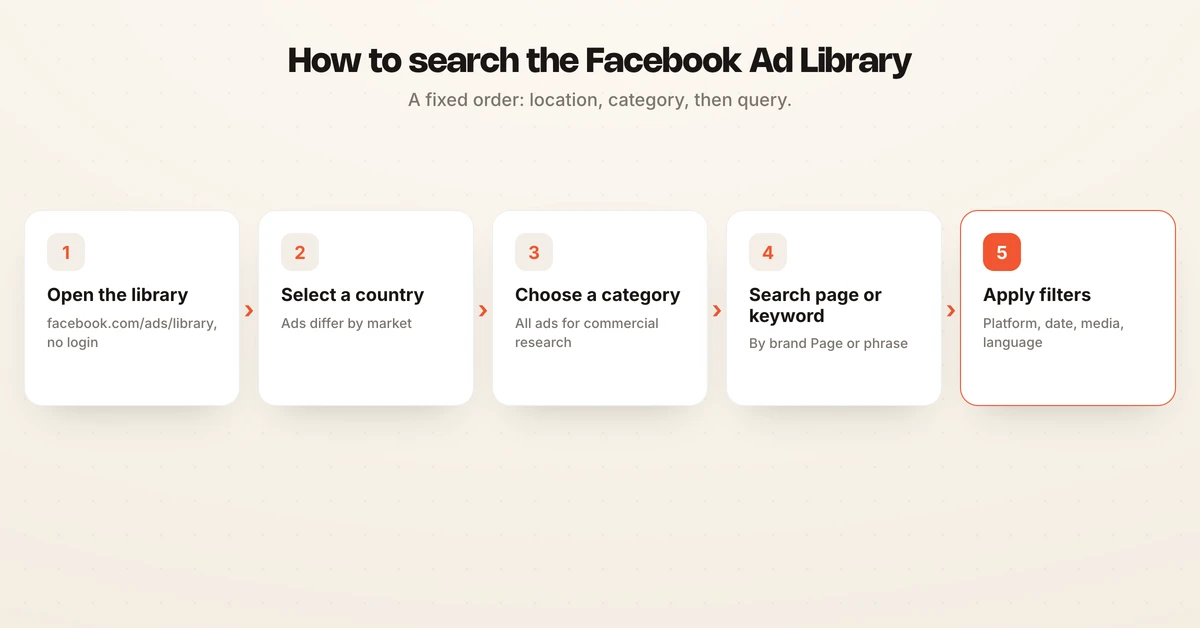
- Go to facebook.com/ads/library. This is the only official URL. No login is required for the public view.
- Select a country. Use the country selector at the top to choose the market whose ads you want to see. The same brand can run different ads in different countries, so this matters.
- Choose an ad category. Options include All ads, Issues, elections or politics, Housing, Employment, and Credit. Pick All ads for standard commercial research.
- Search by keyword or Page name. Type a brand's Facebook Page name to see that advertiser's ads, or type a keyword or phrase to find ads mentioning it across advertisers.
- Apply filters. Narrow by platform, date range, media type (image, video), and language to isolate what you need.
Two search tricks help with keyword queries. Wrap an exact phrase in quotation marks, such as "shop the sale now," to match it precisely, and use the pipe symbol to match any of several words, such as shoes | sale | christmas (mida.so). Searching by Page name is the most direct way to run a Facebook ads library search on one competitor.
What you can and cannot see
The Facebook Ad Library is a creative archive, not a performance database. It shows you the ad itself and who ran it, but almost nothing about how the ad performed or who it targeted for regular commercial advertisers.
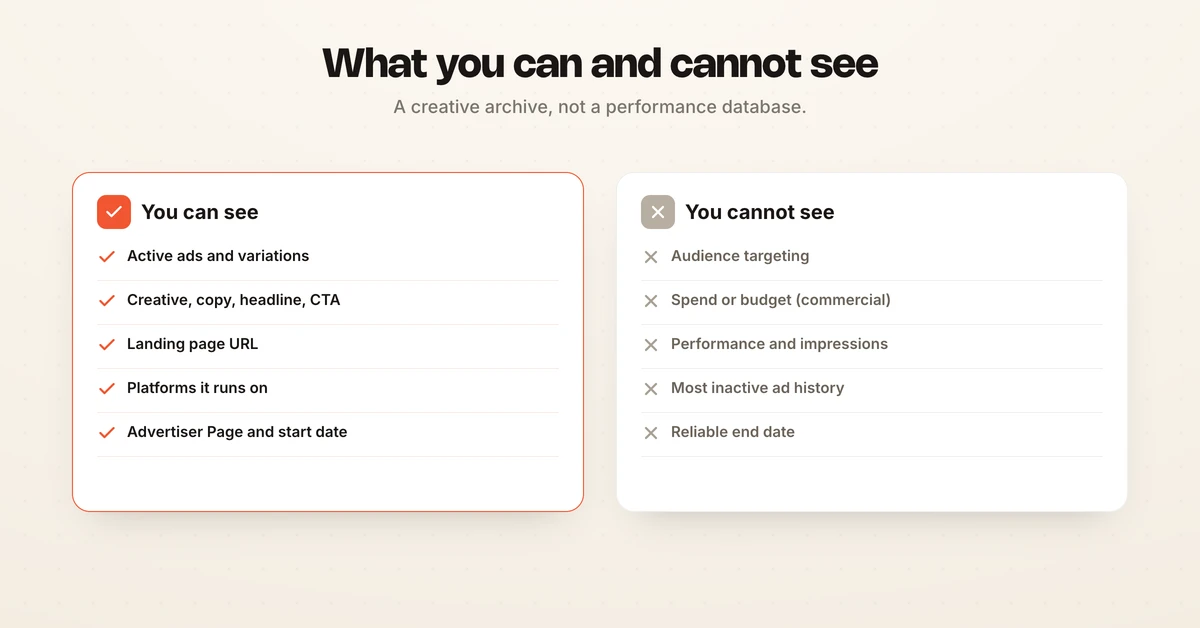
| You can see | You cannot see (commercial ads) |
|---|---|
| Active ads and their variations | Audience targeting (age, interests, retargeting) |
| Ad creative, copy, headline, and CTA | Spend or budget |
| Landing page URL the ad points to | Performance metrics (CTR, conversions) |
| Platforms the ad is running on | Impressions and reach |
| Advertiser Page name and details | Most inactive commercial ad history |
| The ad's start date | Reliable end date or full run length |
Meta's Help Center confirms the library displays ad creative, the platforms an ad runs on, advertiser details, and ad variations. On the gaps, one transparency analysis notes the library shows zero spend data for commercial ads and discloses nothing about audience targeting for them (adlibrary.com). You infer strategy from the creative, not from the numbers.
Active versus inactive, and how long ads stay
Whether an ad stays in the library depends on its type. This is the single biggest limit on using the Facebook Ad Library by page for historical research.
- Commercial ads: appear only while active. Once a brand stops running an ad, it drops out of public view soon after, so you cannot browse a competitor's full back catalog.
- Social issue, election, and political ads: stored for seven years, including spend ranges, reach, and funding entity, per Meta's Help Center.
- EU ads: while the political category existed there, EU ads were shown while active and archived for one year after their last impression (Meta Business Help Center).
Because inactive commercial ads vanish, a one-time search only captures a snapshot. To understand a competitor's testing cadence you have to check back repeatedly and record what changes.
Political ads, EU data, and the 2025 change
Political and issue ads used to be the most transparent part of the library, with spend, reach, and funder data attached. That is where the deepest targeting and budget disclosure lived.
That picture changed in the European Union. In July 2025 Meta announced it would end political, electoral, and social issue advertising in the EU ahead of the bloc's Transparency and Targeting of Political Advertising regulation, which it called unworkable (Meta Newsroom). Coverage confirmed the ban took effect in October 2025 (Euronews).
The practical effect: the "issues, elections, or politics" category no longer appears for EU nations, and you cannot see current political ads there. For everyday commercial competitor research outside politics, the library works as before.
Where the manual Ad Library falls short
The Facebook Ad Library answers what a brand is running today, but it does not answer what changed since last week or which patterns win. It has no alerts, no history for commercial ads, and no analysis layer. You are the one clicking, screenshotting, and remembering.
This is where a dedicated tool takes over. Hawky is an agentic performance marketing platform, and its Competitor Analysis feature monitors competitor ads continuously instead of leaving you to re-check the library by hand. It tracks creative patterns at the element level, such as hooks, formats, and offers, and stores those patterns in FeatherDB so you can compare them over time.
Because the monitoring runs on its own, you get alerts when a competitor ships something new rather than discovering it on your next manual search. You can also ask Hawky's Copilot about competitor moves and get sourced answers, and the glossary entry on competitor ad analysis explains the discipline in more depth. For a broader look at the category, see Hawky's roundup of the best competitor ad analysis tools and real case studies.
Frequently asked questions
What is the Facebook Ad Library?
The Facebook Ad Library, now branded the Meta Ad Library, is a free public database of ads running across Meta's apps. Anyone can search it at facebook.com/ads/library without logging in. It exists to make advertising on Facebook, Instagram, Messenger, and related surfaces more transparent.
How do I search the Facebook Ad Library?
Go to facebook.com/ads/library, pick a country, choose an ad category, then type a keyword or Page name into the search bar. Apply filters for platform, date range, media type, and language to narrow results. No account or login is required for the public view.
Can I see all of a competitor's Facebook ads?
You can see all of a competitor's currently active ads plus their active variations, but not their full history. Inactive commercial ads drop out of the library once they stop running. Only ads about social issues, elections, or politics are archived long term, for seven years.
Is the Facebook Ad Library the same as the Meta Ad Library?
Yes, they are the same tool under two names. Meta renamed the Facebook Ad Library to the Meta Ad Library to reflect that it covers Facebook, Instagram, Messenger, and other Meta surfaces. The URL facebook.com/ads/library still works. You can read more in the Facebook Ad Library glossary entry.
Does the Facebook Ad Library show ad spend and targeting?
For regular commercial ads, no. The library shows zero spend data and discloses nothing about audience targeting such as age ranges, interests, or retargeting signals. Spend ranges and reach appear only for ads about social issues, elections, or politics.
How far back does the Facebook Ad Library go?
Commercial ads only appear while they are active and disappear soon after they stop. Ads about social issues, elections, or politics are stored for seven years. EU ads that ran while the political category existed were archived for one year after their last impression.
If keeping up with the Facebook Ad Library by hand is eating your week and you still miss what competitors change, Hawky's Competitor Analysis is built for that job.
Ready to hire your first AI performance team? Book Demo