Facebook Ad Library
Last updated
A public database of all active ads running across Meta's platforms. A powerful free tool for competitive research and discovering what creative strategies are working in your industry.
Facebook Ad Library
The Facebook Ad Library (also called the Meta Ad Library) is a free, public database where anyone can search and view every active ad currently running on Facebook, Instagram, Messenger, and Meta's Audience Network. It requires no login, covers every advertiser and industry, and updates in real time, which makes it the starting point for competitor research and creative inspiration in performance marketing.
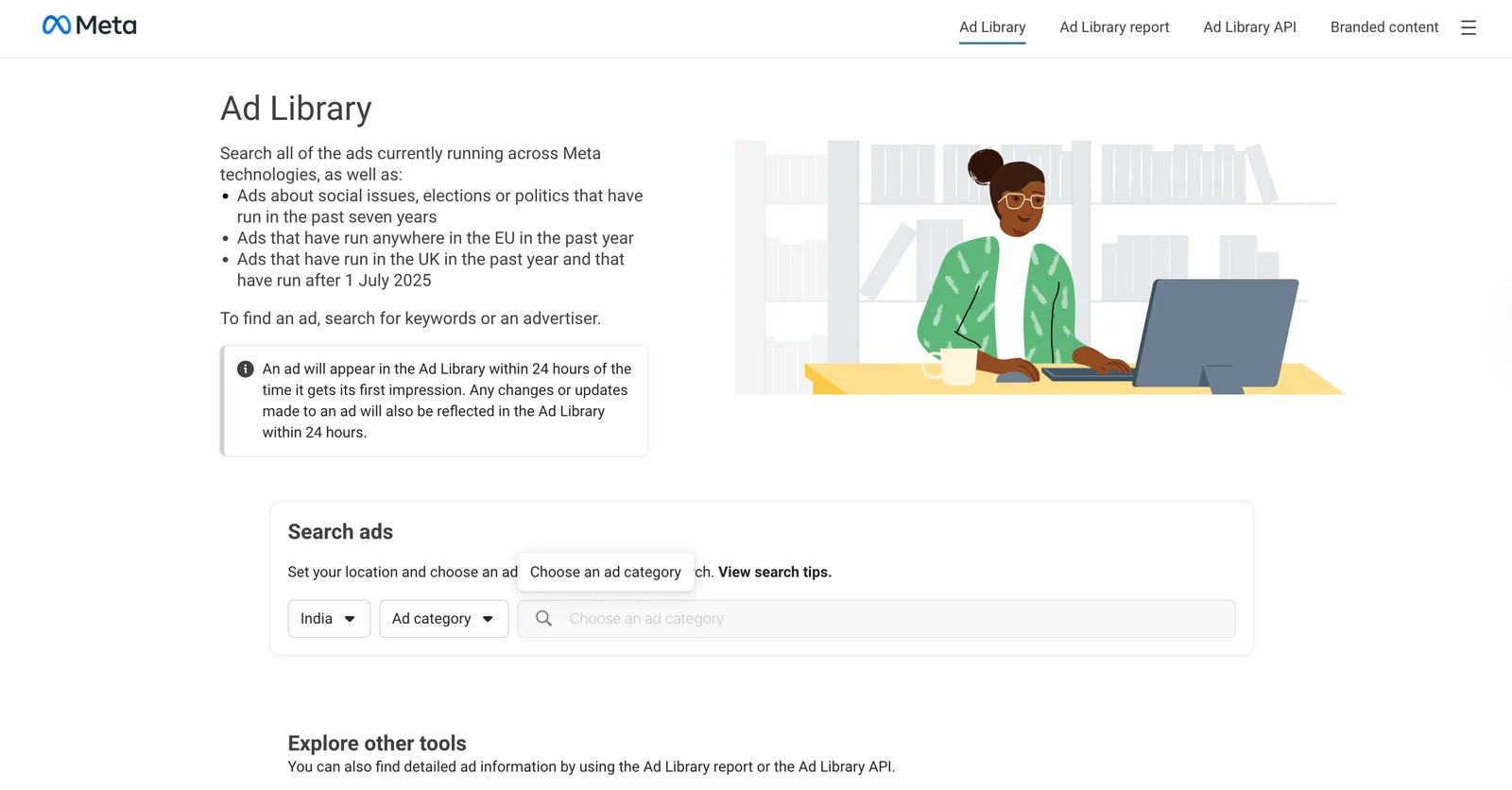
Meta launched the Ad Library in 2018 as a transparency tool for political advertising, then opened it to all ad categories in 2019. Today it is one of the most widely used free resources for seeing exactly what a competitor is running right now, without spending a dollar or asking anyone's permission.
Why It Matters
Your competitors are spending real money testing creative, and the Ad Library lets you see what they have decided to keep running. An ad that stays live for weeks is one of the strongest free signals you have that something is working, because no rational advertiser keeps paying to run a loser. Instead of building your creative strategy from a blank page, you can read the patterns in your category and decide what to test first.
The leverage is significant. Teams that mine the Ad Library before a launch routinely skip weeks of blind testing, because they enter the market already knowing which hooks, formats, and offers have survived in front of real audiences. Paired with competitor ad analysis, it turns surface-level visibility into a genuine competitive edge.
How It Works
- Search by brand or keyword: Enter any competitor's Page name or a relevant keyword to pull up all their currently active ads. You can filter by country, platform, ad type, and date range.
- Read the signals: Since there is no public performance data, you rely on proxy indicators. Ads running 30+ days without changing are typically profitable, and brands testing 50+ active variants are investing heavily in creative iteration.
- Spot repeating patterns: When the same hook style, visual format, or offer structure shows up across multiple ads from one brand, that is a formula they have validated. It is evidence, not coincidence.
- Track refresh cycles: Brands battling creative fatigue rotate new creative often. If a competitor launches fresh ads every 7 to 10 days, their newest content is what to study most closely.
The discipline that separates useful research from noise is interpretation. The library tells you what is live, not what is converting, so you read run time and variation count as probabilities and validate them against your own data.
A Real Example
Say you are a DTC supplement brand preparing to launch a new protein product. Before spending a dollar on production, you search the Ad Library for three of your biggest competitors.
Competitor A is running 64 active ad variants. Scanning them, a clear pattern emerges: every top-format ad opens with a before/after visual in the first two seconds, uses a bold price callout in the headline, and ends with a "Subscribe & Save" CTA. Eleven of their ads use this exact structure, which tells you they have found something that converts.
You brief your creative team on this pattern and your first launch batch tests it against your existing format. The new approach delivers a CTR of 3.8% versus 1.9% for your control, and your CPA comes in 34% lower than your category average on launch day. You skipped weeks of blind testing by reading what was already working in the market.
Common Mistakes
| Mistake | ❌ What Marketers Do | ✅ What to Do Instead |
|---|---|---|
| Treating Ad Library data as performance proof | Assume any ad that is running must be working well | Treat long run time and high variation count as signals, not proof, and validate against benchmarks and your own test data |
| Only searching direct competitors | Search only the 2 to 3 brands they already know | Search by keyword (for example "collagen supplement" or "running shoes") to surface patterns across your full category |
| One-time research sessions | Do a competitive audit once per quarter and call it done | Build regular Ad Library checks into your creative workflow, since the library only shows active ads and losers disappear fast |
How Hawky Helps
The Ad Library shows you what competitors are running. Hawky's Copilot shows you why it is likely working and what to do about it. The Copilot mines competitor ads at scale, breaking down the hook structures, messaging frameworks, and creative patterns behind the ads in your category instead of leaving you to scroll and guess.
Because Hawky operates as a team of agents on your account, the Copilot's competitor findings feed directly into the Creative Agent, which turns validated patterns into new creative, and into FeatherDB, which keeps a living memory of what your category's winners look like over time. That turns a manual research habit into an always-on intelligence layer.
Frequently Asked Questions
Is the Facebook Ad Library free to use?
Yes, the Facebook Ad Library is completely free and requires no login or account. Anyone can search and view every active ad running across Facebook, Instagram, Messenger, and Meta's Audience Network from any country at any time.
How do you find a competitor's ads on the Facebook Ad Library?
Go to the Ad Library, select your country and ad category, then search by the competitor's Facebook Page name. You can also search by keyword to surface ads across your whole category, and filter results by platform, date range, and ad type.
Can you see how well a Facebook ad is performing in the Ad Library?
No, the Ad Library does not show performance metrics like spend, CTR, or conversions for non-political ads. You infer performance from proxy signals instead, such as how long an ad has been running and how many variations a brand is testing.
How long do ads stay in the Facebook Ad Library?
Active ads appear in the library for as long as they are running. Once an advertiser stops an ad, it is removed from the active view, which is why poor performers disappear quickly and checking weekly captures the full picture.
What is the difference between the Facebook Ad Library and the Meta Ad Library?
They are the same tool. Meta rebranded the resource as the Meta Ad Library to reflect coverage across all its platforms, but many marketers still call it the Facebook Ad Library out of habit.
Quick Takeaway
The Facebook Ad Library is the best free tool for seeing what competitors are running right now. Use long run times and high variation counts as performance proxies, look for repeating patterns, and let that research shape your next creative brief rather than your next copy-paste.
When competitor research is eating hours you do not have, an agent should be mining the Ad Library for you. Ready to hire your first AI performance team? Book Demo