Facebook Ads Manager
Last updated
Meta's central platform for building, optimizing, and analyzing ads across Facebook, Instagram, Messenger, and Audience Network. Mastering its campaign, ad set, and ad hierarchy is what turns the same budget into very different results.
Facebook Ads Manager
Facebook Ads Manager is Meta's central platform for creating, managing, and analyzing paid advertising across Facebook, Instagram, Messenger, and the Audience Network. It is where advertisers build campaigns, set budgets and bids, define audiences, launch creative, and read performance data, all from one interface. For most performance marketers, Ads Manager is the control room where every Meta ad decision actually happens.
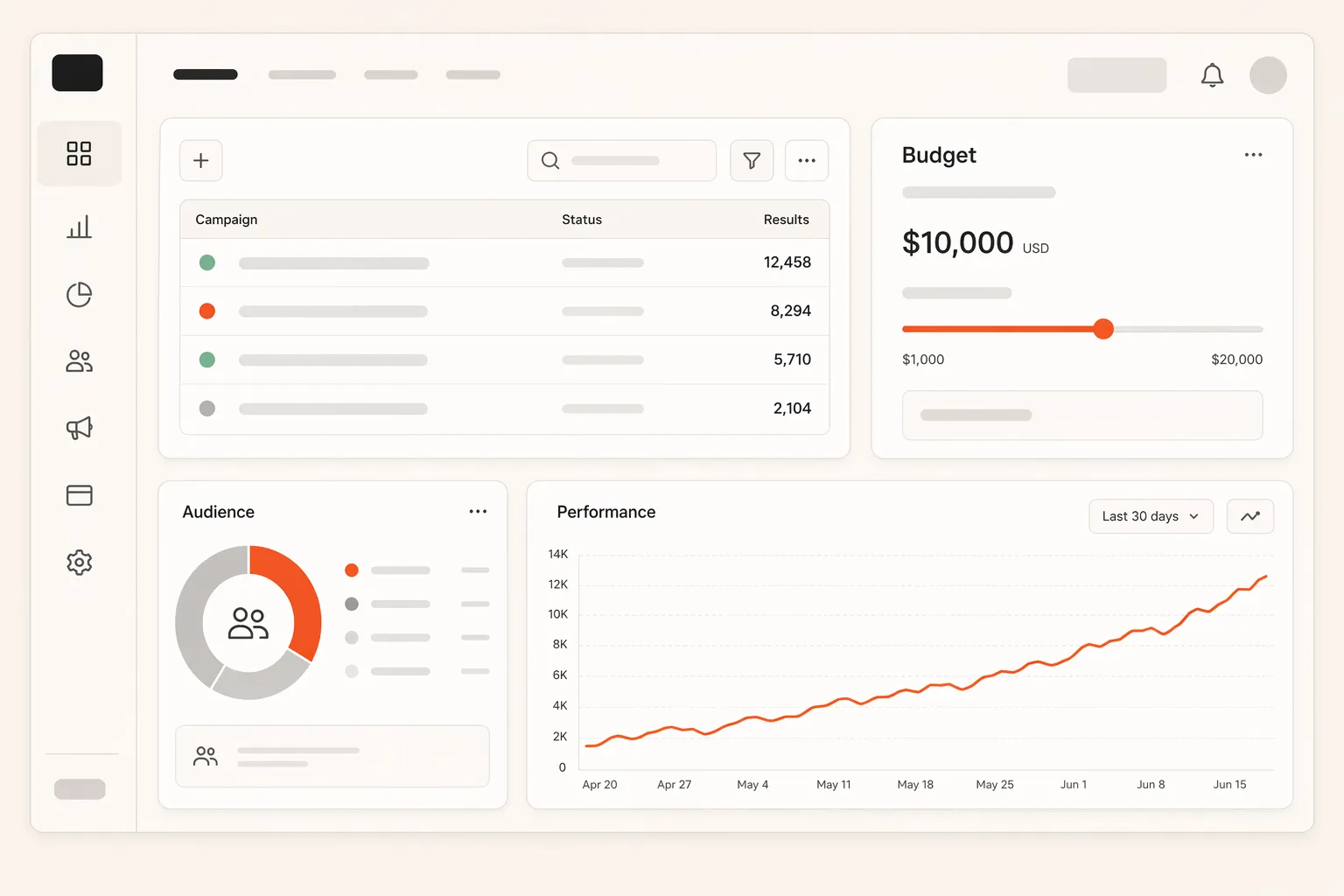
Ads Manager organizes everything into a three-level hierarchy. The campaign level sets the objective, the ad set level controls audience, placement, budget, and schedule, and the ad level holds the actual creative. Understanding this structure is the foundation for everything else, because each level exposes different controls and different data.
Why It Matters
Ads Manager is where budget meets execution, so fluency in it directly shapes results. The same spend can produce very different outcomes depending on how the account is structured, how budgets are allocated across ad sets, and how performance is read at each level. A marketer who only watches the campaign-level summary misses the creative-level and audience-level signals that explain why the number moved.
The depth is both the strength and the trap. Ads Manager surfaces dozens of columns, breakdowns, and settings, and Meta's algorithm needs roughly 50 conversion events per ad set per week to exit the learning phase efficiently. Accounts that fragment budget across too many ad sets starve each one of that signal, so the platform never optimizes well. The teams that win in Ads Manager are usually the ones who keep the campaign structure simple enough for the algorithm to learn, then read the data at the level where the real story lives.
How It Works
Ads Manager runs on the campaign, ad set, and ad hierarchy, and each level controls a specific part of the buy. You build top down, then read performance at the level where the decision needs to be made.
- Campaign level: choose the objective, such as sales, leads, or traffic, which tells Meta what outcome to optimize toward.
- Ad set level: define the audience, placements, budget, schedule, and bidding. This is where interest-based targeting and custom audiences are set.
- Ad level: upload the creative, copy, and CTA that the audience actually sees.
- Reporting: customize columns and breakdowns to read ROAS, CPA, frequency, and delivery by placement, age, or device.
The detail that separates effective operators from busy ones is breakdown discipline. The blended campaign number hides which ad set, placement, or creative is carrying or dragging performance, and only the right breakdown reveals where to act. Reading Ads Manager well is less about clicking everything and more about knowing which view answers the question in front of you.
A Real Example
A home goods brand spends $20,000 a month in Ads Manager at a blended 2.3x ROAS and cannot understand why scaling makes it worse. The campaign summary looks flat, so the team assumes the audience is tapped out.
Switching to a placement breakdown, they find Reels delivering a 3.6x ROAS while the Audience Network drags the blend down to 1.1x. The campaign-level number had been averaging a strong placement and a weak one into a mediocre middle. They exclude the underperforming placement and rebuild the campaign structure to consolidate budget into fewer, better-fed ad sets.
Within three weeks, blended ROAS climbs from 2.3x to 3.1x on the same total spend. Nothing changed about the creative or the offer. The win came from reading Ads Manager at the placement level and acting on what the breakdown exposed, which the summary view had been hiding the whole time.
Common Mistakes
| ❌ Mistakes | ✅ Better Approach |
|---|---|
| Judge performance only by the campaign-level summary | Use placement, age, and device breakdowns to find where results actually come from |
| Split budget across many ad sets for "more testing" | Consolidate into fewer ad sets so each clears the learning phase with enough conversions |
| Change targeting first when performance dips | Check creative and placement data, since those usually move results more than audience tweaks |
How Hawky Helps
Ads Manager gives you the controls, but it still expects a human to watch the breakdowns and act in time. Hawky's Performance Agent operates the account directly, monitoring performance at the ad set and creative level, shifting budget toward what is converting, and pulling back on placements dragging the blend, around the clock rather than at the next manual check-in.
Because Hawky runs as a team of agents, the Creative Agent feeds fresh on-brand creative into the account when fatigue appears, and FeatherDB holds the account's living memory so every budget and structure decision is informed by what already worked. That turns Ads Manager from a dashboard you manage into an account that is actively managed for you.
Frequently Asked Questions
What is the difference between Facebook Ads Manager and Business Manager?
Ads Manager is the tool for building and running campaigns, while Business Manager (now Meta Business Suite) is the broader account that owns assets like ad accounts, Pages, Pixels, and user permissions. You launch and optimize ads inside Ads Manager, and you manage who has access to what inside Business Manager.
How is a campaign structured in Facebook Ads Manager?
Ads Manager uses a three-level hierarchy: the campaign sets the objective, the ad set controls audience, placement, budget, and schedule, and the ad holds the creative. Keeping the structure simple, with fewer ad sets that each gather enough conversions, helps Meta's algorithm exit the learning phase and optimize effectively.
How do you read performance data in Ads Manager?
You read performance by customizing columns to show the metrics that matter, such as ROAS, CPA, and frequency, then applying breakdowns by placement, age, or device to see where results come from. The campaign summary averages everything together, so breakdowns are what reveal which ad set, placement, or creative is actually driving the outcome.
Is Facebook Ads Manager free to use?
Yes, Facebook Ads Manager itself is free to access and use. You only pay for the ad spend you run through it, so there is no platform fee for building campaigns, reading reports, or managing your account inside the interface.
Quick Takeaway
Facebook Ads Manager is Meta's control room for building, optimizing, and reading paid campaigns, and the operators who win in it keep structure simple and read performance at the level where the real decision lives.
When Ads Manager needs constant watching just to keep budget on the right placements, an agent should be operating the account instead. Ready to hire your first AI performance team? Book Demo