8 Best Google Ads Competitor Analysis Tools in 2026 (Free + Paid)
The best Google Ads competitor analysis tools in 2026 are Hawky for turning a rival's messaging into your next ad, Semrush and SpyFu for the keywords and ad copy competitors buy, and Google's own free Auction Insights report and Ads Transparency Center. Google Ads competitor analysis answers three questions: who you share auctions with, which keywords and messages they pay for, and roughly what they spend. No single tool answers all three, so most teams pair the two free Google reports with one paid tool.
This guide ranks the eight tools by the question each one answers, lists every price as the vendor's own pricing page showed it in September or October 2026, and walks through a six-step competitor analysis you can run this week.
What is Google Ads competitor analysis?
Google Ads competitor analysis is the practice of studying the advertisers you compete with in Google's auctions: their keywords, ad copy, landing pages, impression share and estimated spend. The goal is a better bid, a sharper message or a keyword gap you can take, not a report.
The data comes from two places. Google shows you real but narrow data: Auction Insights compares you with advertisers in your own auctions, and the Ads Transparency Center shows any verified advertiser's live ads. Third-party tools fill the rest by modelling keywords, clicks and spend from their own search databases, so their numbers are estimates.
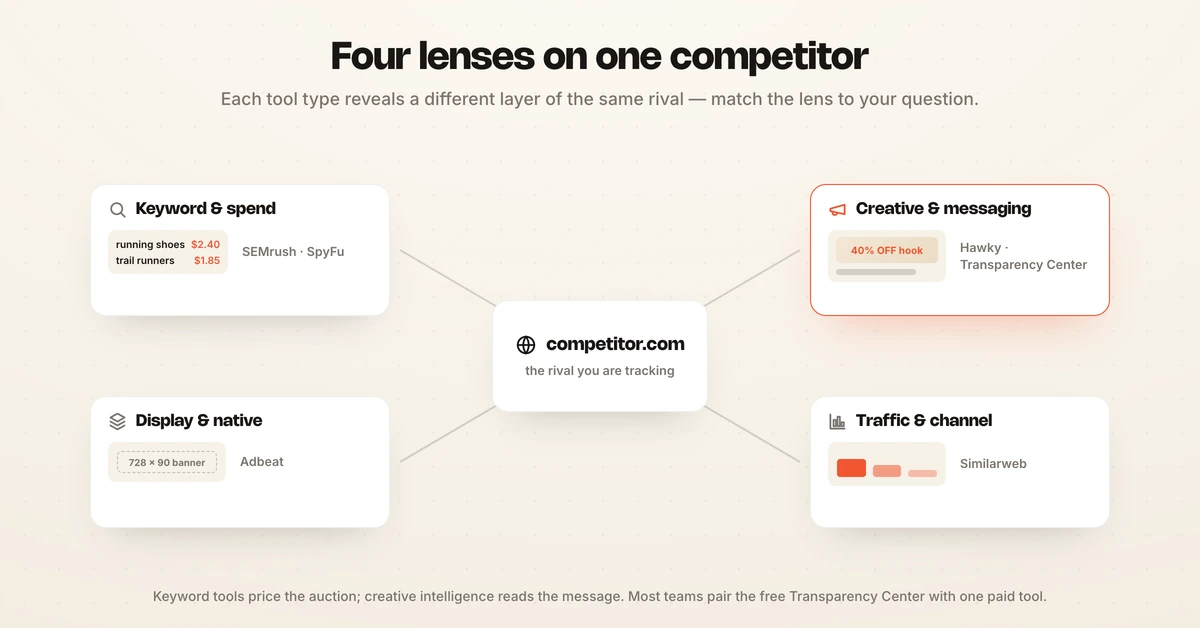
A good Google Ads competitor analysis tool matches your question. Keyword databases tell you what a rival bids on. Creative tools tell you what they say and how it changes. Traffic tools tell you how much of their growth paid search carries.
The 8 best Google Ads competitor analysis tools in 2026
The eight Google Ads competitor analysis tools below cover every job in the workflow, from free Google reports to paid keyword databases and an agent that acts on what it finds. Hawky is listed first because it is the only one that turns the research into live creative; the rest are ordered by how often a PPC team will reach for them.
1. Hawky: Best for turning competitor research into your next ad
Hawky is an agentic performance marketing platform. Its Competitor Analysis feature tracks every ad your competitors run on Google and Meta, tags each one by hook, offer, message framing and CTA, and alerts you when a rival launches a new campaign.
The difference is what happens next. Keyword tools hand you a spreadsheet; Hawky's Creative Agent takes a competitor's new offer or a gap in your own portfolio and ships counter-creatives bound to a specific Google or Meta campaign, with seat-level approval before anything goes live. The Performance Agent then buys against your KPI with guardrails, an audit trail and a rollback on every move.
Key capabilities:
- Always-on tracking: every Google and Meta ad a competitor runs, decoded at the strategy level, not saved as a screenshot.
- Searchable by intent: filter by new launches, offers, hooks, gaps and trends, with one-click competitive reports.
- New-campaign alerts: brief a counter the same day a competitor launches.
- Research that becomes ads: competitor patterns feed creative generation, so the analysis ends in a live test.
Best for: brands and agencies spending $50k to $5M+ a month across Google and Meta who want competitive research to change the account, not sit in a deck. Hiveminds cut CPL by 27% and saved 160+ hours per brand monthly running this way.
Pricing: Hawky's pricing is per brand with unlimited users and quoted through sales; the Performance Agent runs on an outcome-based model with a free 30-day pilot on one account.
2. Semrush: Best for keyword gaps and ad copy history
Semrush is the broadest paid and organic search database on this list. Enter a competitor's domain in Advertising Research to see the keywords their Google ads show for, the ad copy they ran and the landing pages behind it; Keyword Gap compares your domain with competitors to find terms they buy and you do not, and PLA Research covers Shopping ads.
Strength: the keyword gap analysis tool most PPC teams already know, with paid and organic data side by side. Limitation: keyword, traffic and cost figures are modelled estimates, and the plan structure now leads with SEO and AI-visibility tiers, so check which plan includes the advertising tools you need before you buy.
Best for: teams that want one tool for paid and organic competitor research.
Pricing: Semrush's plans list at $139 a month on monthly billing ($117.33 a month billed annually), with higher tiers at $199, $299 and $549 a month, per Semrush's pricing page, September 2026.
3. SpyFu: Best affordable Google Ads keyword spy tool
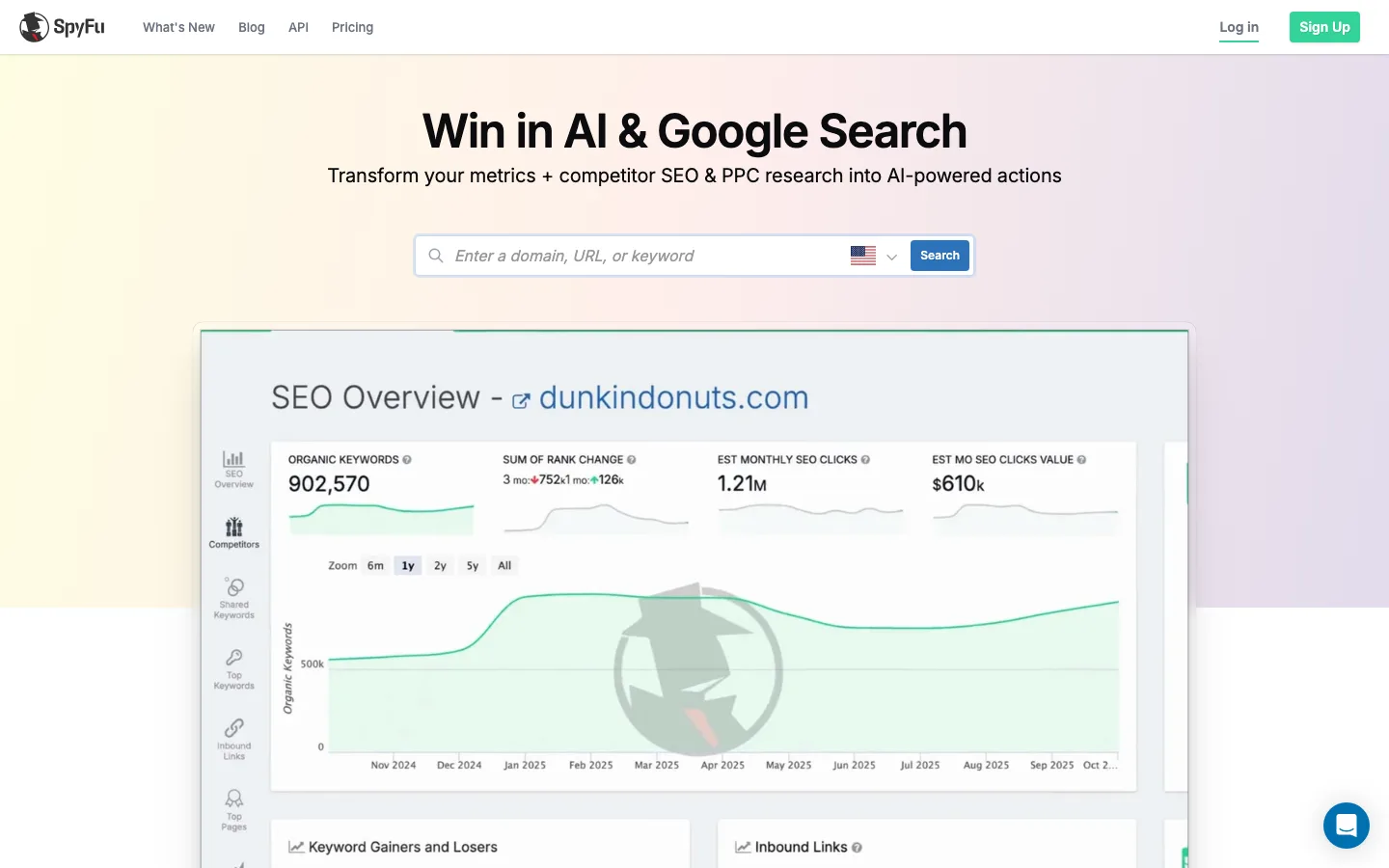
SpyFu is built for one job: showing the PPC and SEO keywords a competitor buys and ranks for, plus every ad they have tested. Its Ad History view shows how a competitor's ad copy changed over time, which is the fastest way to see which message a rival kept paying for.
Strength: deep Google Ads keyword and ad history at the lowest paid price here, with unlimited searches from the Pro + AI plan up. Limitation: search only, so no display, YouTube or social creative, and spend figures are estimates.
Best for: PPC managers and small agencies who want a dedicated Google Ads competitor analysis tool on a budget.
Pricing: SpyFu Basic is $39 a month ($29 a month billed annually), Pro + AI is $119 a month after a $59 first month, and Team / Agency is $249 a month, per SpyFu's pricing page, September 2026.
4. Google Ads Auction Insights: Best free view of who you actually compete with
Auction Insights is a free report inside your Google Ads account that compares your performance with every other advertiser in the same auctions. It is the only competitor data on this list that comes from Google's real auctions rather than a model.
For Search campaigns it shows six statistics: impression share, overlap rate, outranking share, position above rate, top of page rate and absolute top of page rate, per Google's help page. Shopping campaigns get three, and Performance Max reports split Search and Shopping.
Strength: real auction data, free, for the keywords you already bid on. Limitation: it only covers auctions you are in, shows no competitor keywords or ad copy, and shows nothing when your impression share is below 10%.
Best for: every advertiser, every week. It is the first place to check when a CPC spike has no internal explanation.
Pricing: free with any Google Ads account.
5. Google Ads Transparency Center: Best free source for competitor ad creative
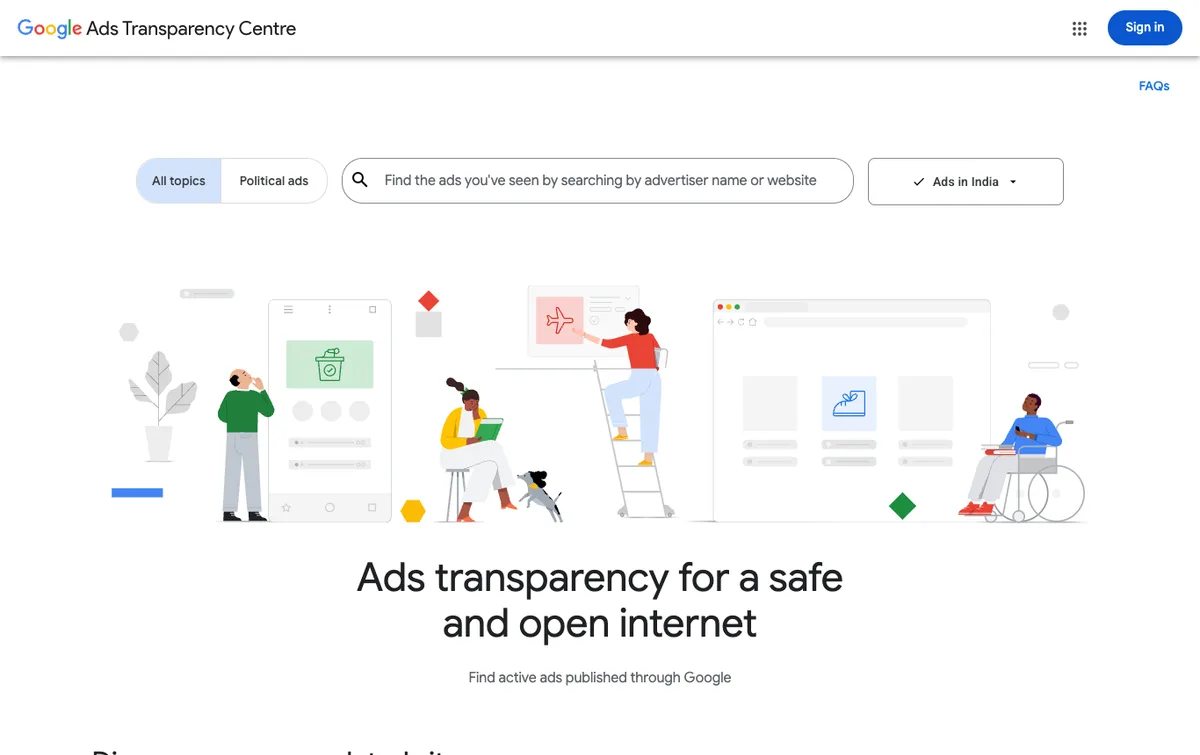
The Google Ads Transparency Center is Google's free public library of ads from verified advertisers across Search, YouTube, Display and Shopping. Search a competitor's name or domain to see the creatives they are running, filtered by format, region and date.
Strength: an authoritative, free view of exactly what a competitor runs now, including keywordless Performance Max creative that keyword tools cannot see. Limitation: creative and dates only, with no keywords, spend, clicks or results.
Best for: messaging and creative research. See the full walkthrough on how to use the Google Ads Transparency Center.
Pricing: free, no account needed.
6. Ahrefs: Best for paid and SEO competitor data in one place
Ahrefs is best known for SEO, but its Site Explorer includes a paid traffic view that shows a competitor's paid keywords, the pages they send paid traffic to, and an estimate of their Google Ads spend by country. For teams already in Ahrefs, it answers most first-pass PPC questions without another login.
Strength: one tool for SEO and paid search competitor analysis, with years of history. Limitation: PPC is a side view of an SEO product, with less ad copy depth than SpyFu or Semrush.
Best for: teams that run SEO and paid search together and already pay for Ahrefs.
Pricing: Ahrefs Lite is $129 a month, Standard $249 and Advanced $449, with a $29 a month Starter tier, per Ahrefs' pricing page, October 2026.
7. Adbeat: Best for competitor display ads
Adbeat tracks display, programmatic, native and pre-roll video ads, showing a competitor's creatives, the ad networks and publishers they buy, and their landing pages. It covers the Google Display Network side of a competitor's account that search tools miss, plus the networks outside Google.
Strength: competitor display ads and spend share across networks, with side-by-side comparisons of a competitive set. Limitation: no search keyword data, and the entry price is high for a single channel.
Best for: teams that run or compete against heavy display and native budgets.
Pricing: Adbeat Standard is $249 a month and Advanced $399 a month, with Enterprise on request, per Adbeat's pricing page, September 2026.
8. Similarweb: Best for spend trends and brand bidding
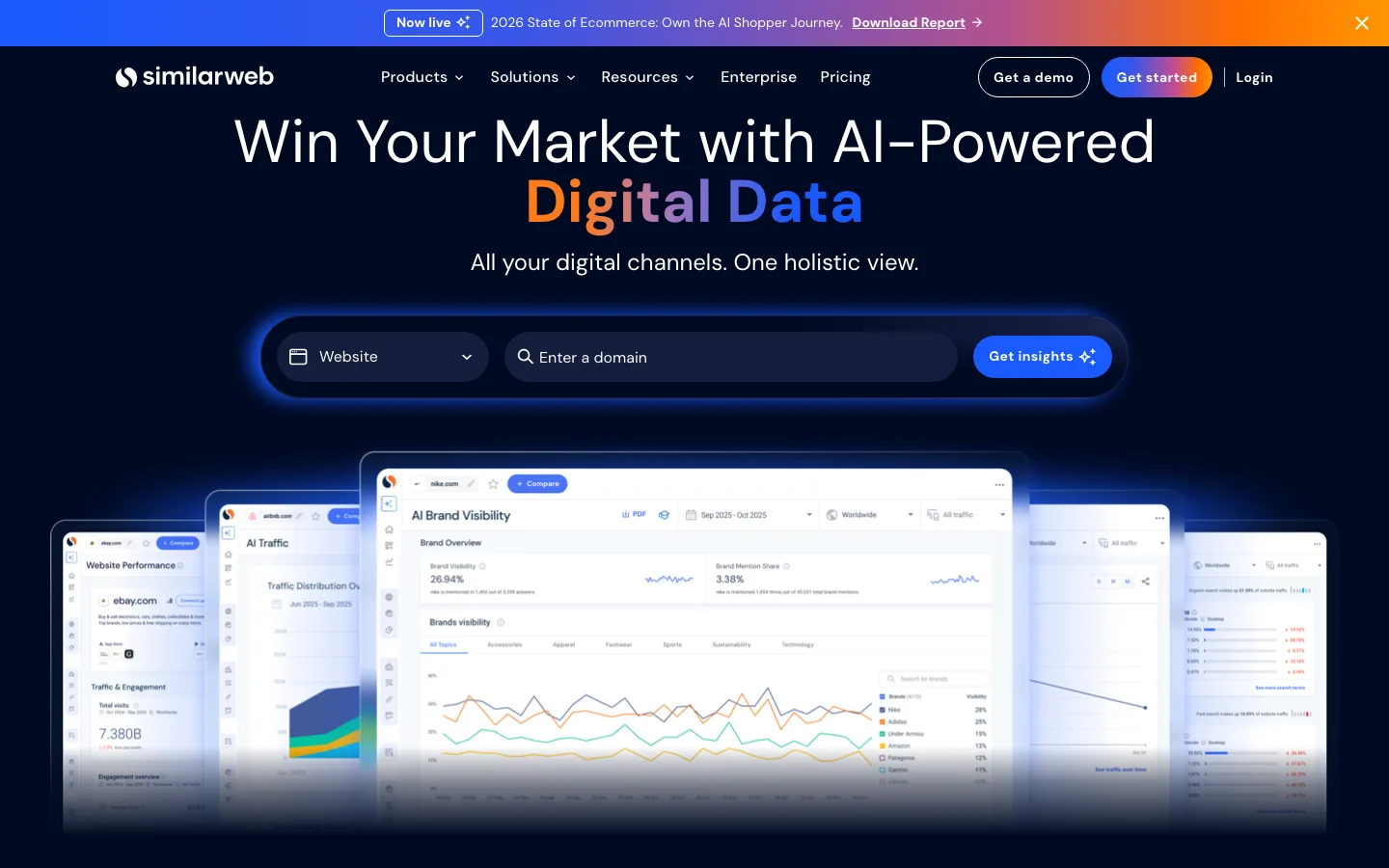
Similarweb's paid search tools track competitor keywords, ad copy, landing pages and spend across Google Search and Shopping, and show how much of a rival's traffic comes from paid search. It also detects brand bidding, so you can see who buys your branded keywords.
Strength: market-level context, spend and CPC trends by keyword or domain, and brand-bidding detection in one platform. Limitation: enterprise-priced and broad, and its traffic and spend figures are modelled estimates.
Best for: larger teams that want competitive intelligence across every channel, with paid search as one part.
Pricing: Similarweb publishes no price for its paid search and ad intelligence packages; they are sold through sales, per its pricing page, September 2026.
Google Ads competitor analysis tools compared: data and price
The right Google Ads competitor analysis tool depends on which data you need and what you can spend. The table puts each tool's data source next to its entry price, as read from each vendor's own pricing page.
| Tool | Answers | Data source | Entry price | Price checked |
|---|---|---|---|---|
| Hawky | What to run next | Live ads on Google and Meta | Quoted per brand | Through sales |
| Semrush | Keywords, ad copy, gaps | Modelled database | $139/mo | Sept 2026 |
| SpyFu | Keywords, ad history | Modelled database | $39/mo | Sept 2026 |
| Auction Insights | Who shares your auctions | Google's real auctions | Free | n/a |
| Transparency Center | Live creative | Google's ad library | Free | n/a |
| Ahrefs | Paid keywords, spend | Modelled database | $129/mo | Oct 2026 |
| Adbeat | Display creative, networks | Display ad crawl | $249/mo | Sept 2026 |
| Similarweb | Spend trends, brand bidding | Traffic panel and models | No public price | Sept 2026 |
A cheap stack covers most of the job. Auction Insights plus the Transparency Center plus SpyFu Basic costs $39 a month and answers who you compete with, what they say and which keywords they buy.
How to do a Google Ads competitor analysis in 6 steps
A Google Ads competitor analysis follows six steps, from naming your real auction rivals to turning what you learn into tests. The steps below use the free Google reports first and add a paid tool only where Google has no data.
| Step | Question | Tool | Cadence |
|---|---|---|---|
| 1. Identify competitors | Who is in my auctions? | Auction Insights | Weekly |
| 2. Find their keywords | What do they bid on that I don't? | SpyFu, Semrush, Ahrefs | Monthly |
| 3. Read their ads | What do they promise? | Transparency Center, Hawky | Weekly |
| 4. Review landing pages | Where does the click go? | Semrush, Similarweb, a browser | Monthly |
| 5. Track bidding and spend | Are they pushing harder? | Auction Insights, Similarweb | Weekly |
| 6. Act on it | What do I test next? | Your account, Hawky | Every cycle |
Step 1: Identify your real Google Ads competitors
Your Google Ads competitors are the domains in your Auction Insights report, not the brands you think of as rivals. Open Campaigns, then Auction Insights, and sort by overlap rate. A high overlap rate with a high outranking share means a competitor wins the auctions you both enter.
Step 2: Run a keyword competitor analysis
Keyword competitor research shows which paid terms a rival buys that you do not. Run a keyword gap in Semrush or Ahrefs, or download a competitor's PPC keywords in SpyFu, then filter to terms with commercial intent and a CPC you can afford. Treat the volumes as directional; they are modelled.
Step 3: Read their ads and messaging
Competitor ads show you the offer and angle a rival is paying to test. Check the Transparency Center for live creative, SpyFu's Ad History for copy that ran for months (a sign it worked), and note every offer, proof point and CTA. Hawky automates this step by tagging each ad and alerting you when the message changes.
Step 4: Review their landing pages
A competitor's landing page shows what they think converts after the click. Note the headline, offer, form length, proof and page speed. Similarweb and Semrush show which pages receive the most paid traffic, so you study the pages that carry the budget.
Step 5: Track their bidding and spend
Bidding pressure shows up first in your own account. A rising competitor impression share or position above rate in Auction Insights, alongside a CPC increase, usually means a rival raised bids or improved quality. Third-party spend estimates from Similarweb, Ahrefs or SpyFu add the trend line, not the exact number.
Step 6: Turn the analysis into tests
Competitor analysis pays off only when it changes the account. Each review should end in a short list: keywords to add or exclude, a counter-offer to test, a landing page change, a bid change where you are being outranked. Repeat the weekly checks every week; competitor tracking tools only help if someone acts on the alert.
How to analyze competitors running Performance Max campaigns
Performance Max competitor analysis needs creative data, because PMax campaigns are keywordless and keyword tools cannot see which searches trigger them. Start in the Transparency Center, filter a competitor by format and region, and look for the assets PMax mixes across Search, YouTube, Display and Shopping.
Your own Auction Insights report covers the rest. Google's PMax auction insights split Search and Shopping, so you can see who you meet in each. For the full picture of a competitor's creative across Google and Meta, a tracking tool such as Hawky's Competitor Analysis watches every new asset rather than a single snapshot.
Keyword intelligence vs creative intelligence
Keyword intelligence and creative intelligence answer different questions, and a complete Google Ads competitor analysis needs both. Keyword intelligence tells you which searches a competitor buys and what the auction costs. Creative intelligence tells you what they say to win the click and how that message changes.
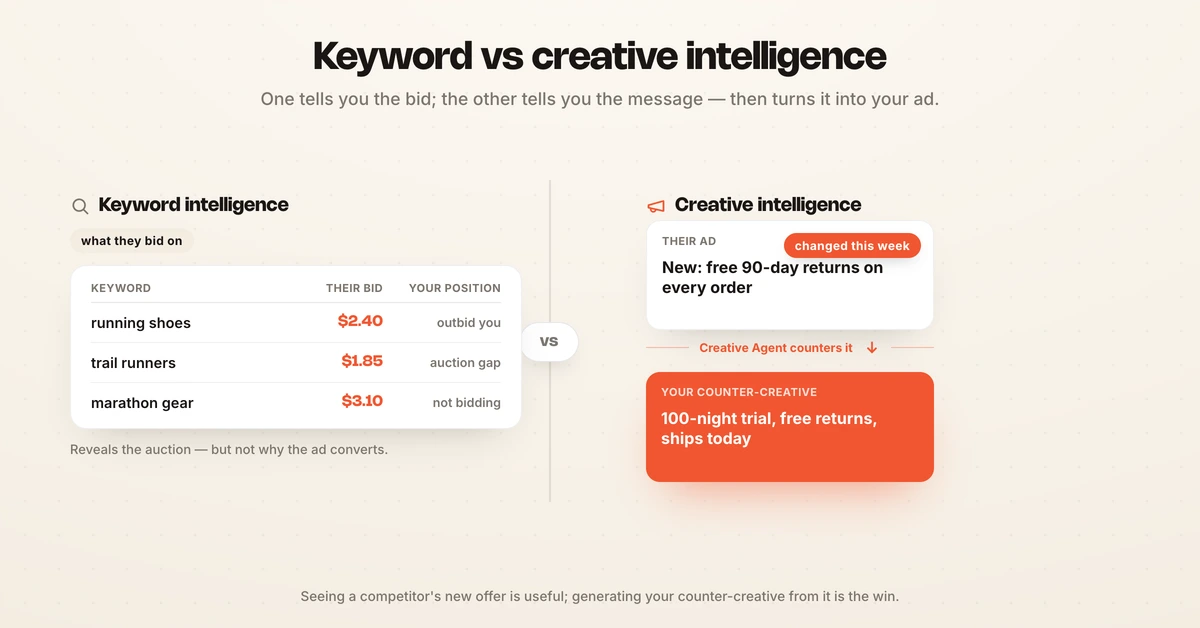
Most PPC teams start with keywords, because bidding is where Google Ads budget moves, and Semrush or SpyFu answer that well. Keyword data cannot tell you why a rival's ad converts or how to beat their offer. That is where the Transparency Center and creative tools take over.
The gap that remains is action. Seeing a competitor's new offer on Monday helps only if a counter-creative is live by Wednesday. For more tools across Meta, TikTok and Google, see the best competitor ad analysis tools, and for the research method behind them, the guide to ad competitor research.
Which Google Ads competitor analysis tool is right for you?
The right Google Ads competitor analysis tool is the cheapest one that answers your current question. Start free, add one paid tool for the gap Google leaves, and add more only when a question goes unanswered.
If you are on a budget: use Auction Insights and the Transparency Center every week, and add SpyFu Basic at $39 a month for competitor keywords and ad history.
If you want one tool for paid and organic: Semrush or Ahrefs covers keyword gaps, paid keywords and spend estimates next to your SEO data. Choose the one your SEO team already uses.
If competitors outspend you on display: Adbeat shows their networks, publishers and creatives across display and native.
If you need market-level spend trends or brand-bidding alerts: Similarweb covers both, at enterprise pricing.
If you want the research to become your next ad: Hawky tracks every competitor ad on Google and Meta and its Creative Agent turns their shifts into counter-creatives bound to your campaigns, with approval before launch. For the broader PPC stack, see the best PPC tools.
Frequently asked questions
What is the best Google Ads competitor analysis tool?
The best Google Ads competitor analysis tool depends on the question. Semrush and SpyFu are the strongest for competitor keywords and ad copy, Google's free Auction Insights report is the only source of real auction data, and the Transparency Center shows live creative for free. Hawky is best when you want the research to turn into new ads. Most teams pair the two free Google reports with one paid tool.
How can I see my competitors' Google Ads for free?
Search the competitor's name or domain in the Google Ads Transparency Center at adstransparency.google.com to see their live Search, YouTube, Display and Shopping ads, with no account needed. Then open Auction Insights in your own Google Ads account to see which advertisers share your auctions and how often they outrank you. Neither shows keywords or spend; those need a paid tool.
Which platforms estimate competitor paid search budgets?
Semrush, SpyFu, Ahrefs and Similarweb all estimate a competitor's Google Ads spend from their own keyword and traffic models. Google does not publish any advertiser's budget, so every figure is an estimate and two tools often disagree. Use the estimates for trends and relative size, and Auction Insights for what is actually happening in your auctions.
What does the Google Ads Auction Insights report show?
Auction Insights compares your ads with other advertisers in the same auctions. For Search campaigns it shows impression share, overlap rate, outranking share, position above rate, top of page rate and absolute top of page rate; Shopping campaigns get the first three. It only covers auctions you take part in and shows nothing when your impression share is below 10%.
What are the best tools like SpyFu?
Semrush and Ahrefs are the closest tools like SpyFu: both show a competitor's paid keywords, landing pages and estimated spend, alongside SEO data. Similarweb adds market-level spend trends and brand-bidding detection, and Adbeat covers display ads that SpyFu does not. SpyFu remains the cheapest dedicated option at $39 a month, per its pricing page in September 2026.
How often should you run a Google Ads competitor analysis?
Check Auction Insights and competitor ads weekly, and run a full keyword and landing page review monthly. Weekly checks catch a new competitor or a bidding push before it raises your CPC for a whole month. A tracking tool with alerts, such as Hawky, replaces the weekly manual check.
If tracking every competitor ad on Google and Meta and turning their shifts into your own tested creative is the problem, Hawky's Creative Agent is built for that job.
Ready to hire your first AI performance team? Book Demo